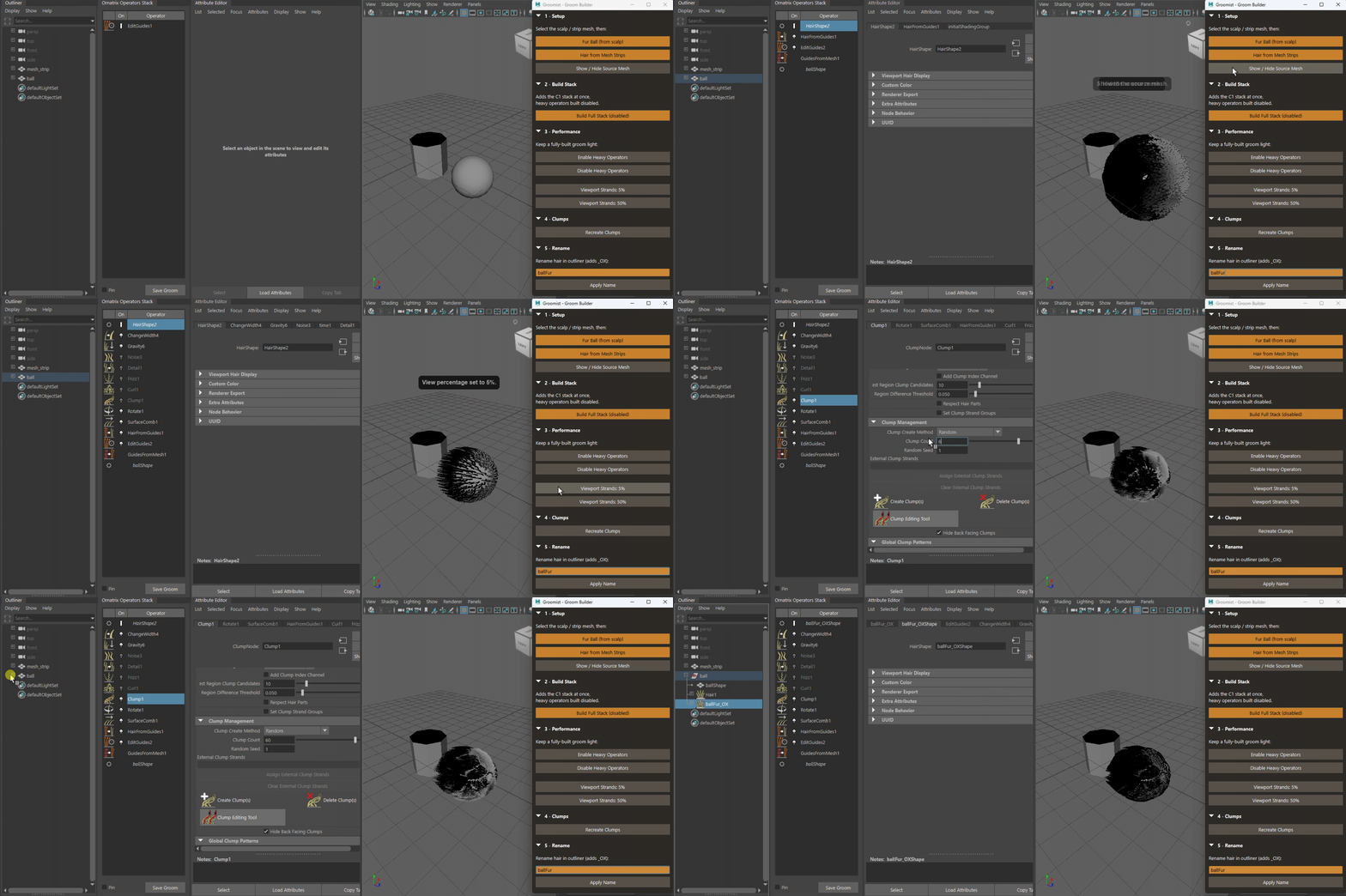
Two recurring pains on Ornatrix grooms in Maya: I rebuild the same operator stack on every character, and once it’s fully built the viewport crawls while I’m still iterating. The approach that’s worked for me:
-
Build the stack programmatically in a fixed order (Surface Comb → Rotate → Clump → Curl → Frizz → Detail → Noise → Gravity → Change Width), so it’s reproducible per character.
-
Create the expensive operators (Clump / Curl / Frizz / Detail / Noise) disabled by default (
OxEnableOperator) and only switch detail on when I need to see it — plus a bulk enable/disable and a viewport view-percentage control to keep dense grooms responsive. -
A “recreate clumps” step (
OxEditClumps -dthen-c) for when clumps go buggy after an upstream edit. -
All the version-specific node/command names isolated in one block, since they shift between Ornatrix releases.
How do you keep heavy grooms interactive while iterating, disabled operators, low view %, render-only detail, proxies? Curious what’s standard for others.
I packaged my version into a single-file MIT tool (Maya 2022+, Ornatrix 4.x) if it’s useful: https://github.com/ruxinliang-dev/groomist and I’d genuinely like to know which Ornatrix version the operator/command names hold up on, since that’s the fragile part.