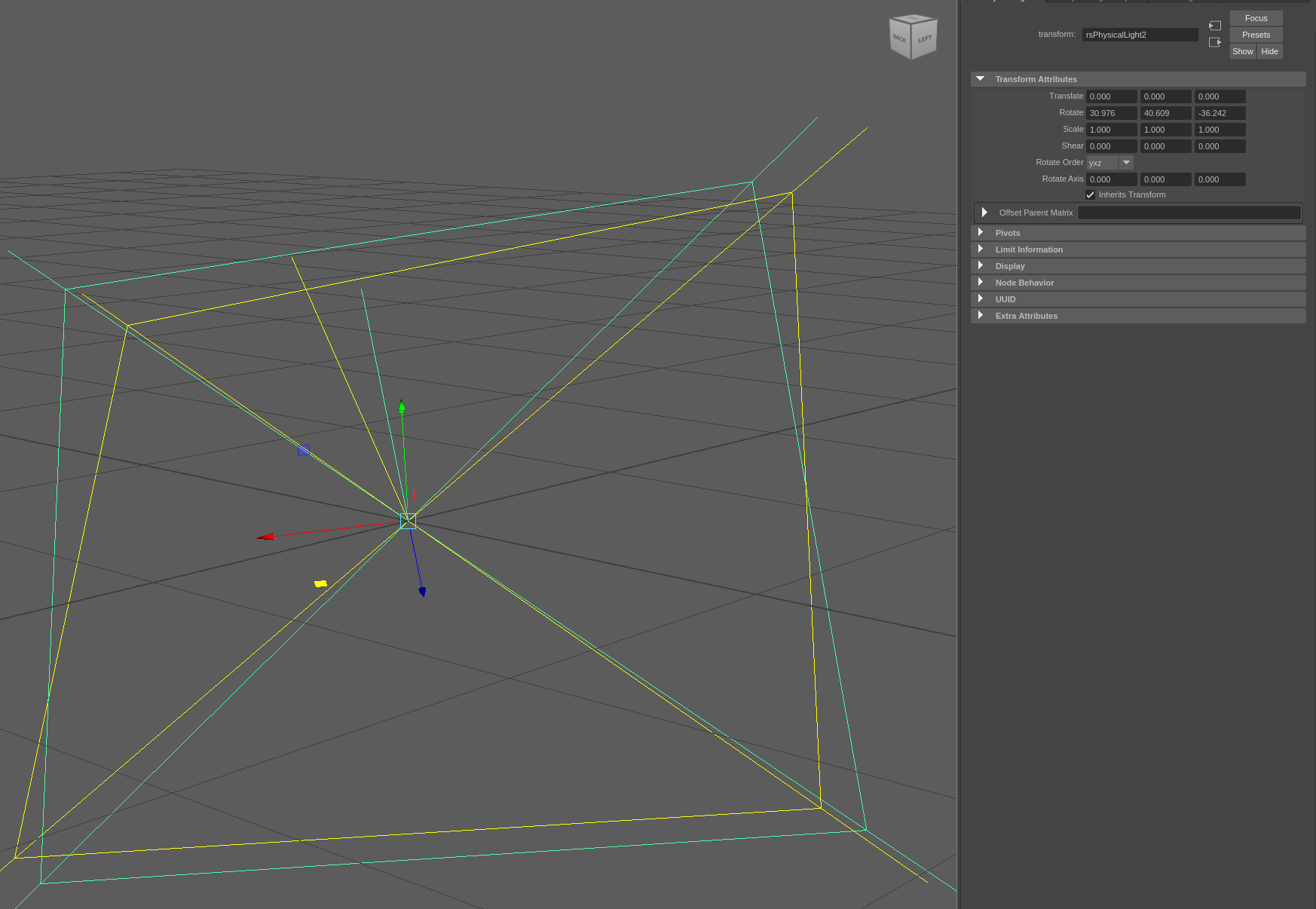
The order of the returned values corresponds to the assigned order!
In your case: e_yxz.x - 0, e_yxz.y - 1, e_yxz.z - 2
ORDER = YXZ → 1,0,2 →
tr = 'rsPhisicalLight2'
cmds.setAttr('{}.rotateOrder'.format(tr), 4)
cmds.setAttr('{}.rotateX'.format(tr), math.degrees(e_yxz.y))
cmds.setAttr('{}.rotateY'.format(tr), math.degrees(e_yxz.x))
cmds.setAttr('{}.rotateZ'.format(tr), math.degrees(e_yxz.z))
Litle Demo:
import maya.mel as mel
import maya.cmds as cmds
import imath
import math
from time import sleep as time_sleep

cancell_message = ('\n\t\t Ups... the user interrupted the execution' +
              ' of the Demo Script... \n')
pns = mel.eval('saveChanges("file -force -new");')
if not pns:
    cmds.error(cancell_message)

g_model_panel = 'modelPanel4'
cmds.setFocus(g_model_panel)
cmds.modelEditor(g_model_panel,
    edit = True,
    da = 'wireframe',    #'smoothShaded'
    grid = True,
    swf = True,
    udm = False,
    wos = True)
mel.eval('setNamedPanelLayout "Four View";')
mel.eval('updateToolbox();')
mel.eval('setNamedPanelLayout "Single Perspective View";')
mel.eval('updateToolbox();')

def view_fit_for_cam():
    cmds.setFocus(g_model_panel)
    time_sleep(0.5)
    cmds.refresh(force = True)
    cmds.viewFit(animate = True)
    cmds.refresh(force = True)

# create poly cubes for all Maya baze rotate order variants
p_cubes = []
for i in range(6):
    p_cubes.append(cmds.polyCube(
        w = 100, h = 100, d = 100,
        sx = 10, sy = 10, sz = 10,
        ax = (0, 1, 0), cuv = 4, ch = 0)[0])
cmds.select(clear = True)
view_fit_for_cam()
# set euler angle (degrees) for demo
r_euler_degree_xyz = (45.0, 23.0, -15.0)

# set rotate order and rotate values for poly cube 1
cmds.select(p_cubes[0])
view_fit_for_cam()
cmds.setAttr('{}.rotateOrder'.format(p_cubes[0]), 0)
cmds.setAttr('{}.rotateX'.format(p_cubes[0]), r_euler_degree_xyz[0])
cmds.setAttr('{}.rotateY'.format(p_cubes[0]), r_euler_degree_xyz[1])
cmds.setAttr('{}.rotateZ'.format(p_cubes[0]), r_euler_degree_xyz[2])
view_fit_for_cam()

# create Euler Angle from xyz order
e_xyz_d = imath.Eulerd(
    math.radians(r_euler_degree_xyz[0]),
    math.radians(r_euler_degree_xyz[1]),
    math.radians(r_euler_degree_xyz[2]),
    imath.Eulerd.XYZ)
# create matrix from Euler Angle
m44_d = e_xyz_d.toMatrix44()

# optional, for other input matrix,
# with scale and/or shear values
scale_v = imath.V3d()
shear_v = imath.V3d()
m44_d.extractAndRemoveScalingAndShear(scale_v, shear_v)

# get Euler Angle from matrix for yzx order
e_yzx_f = imath.Eulerf(0,0,0, imath.EULER_YZX)
e_yzx_f.extract(m44_f)
r_euler_degree_yzx = (
    math.degrees(e_yzx_f.x),
    math.degrees(e_yzx_f.y),
    math.degrees(e_yzx_f.z))
# set rotate order and rotate values for poly cube 2
cmds.select(p_cubes[1])
view_fit_for_cam()
cmds.setAttr('{}.rotateOrder'.format(p_cubes[1]), 1)
cmds.setAttr('{}.rotateX'.format(p_cubes[1]), r_euler_degree_yzx[2])
cmds.setAttr('{}.rotateY'.format(p_cubes[1]), r_euler_degree_yzx[0])
cmds.setAttr('{}.rotateZ'.format(p_cubes[1]), r_euler_degree_yzx[1])
view_fit_for_cam()

# get Euler Angle from matrix for zxy order
e_zxy_f = imath.Eulerf(0,0,0, imath.EULER_ZXY)
e_zxy_f.extract(m44_f)
r_euler_degree_zxy = (
    math.degrees(e_zxy_f.x),
    math.degrees(e_zxy_f.y),
    math.degrees(e_zxy_f.z))
# set rotate order and rotate values for poly cube 3
cmds.select(p_cubes[2])
view_fit_for_cam()
cmds.setAttr('{}.rotateOrder'.format(p_cubes[2]), 2)
cmds.setAttr('{}.rotateX'.format(p_cubes[2]), r_euler_degree_zxy[1])
cmds.setAttr('{}.rotateY'.format(p_cubes[2]), r_euler_degree_zxy[2])
cmds.setAttr('{}.rotateZ'.format(p_cubes[2]), r_euler_degree_zxy[0])
view_fit_for_cam()

# get Euler Angle from matrix for xzy order
e_xzy_f = imath.Eulerf(0,0,0, imath.EULER_XZY)
e_xzy_f.extract(m44_f)
r_euler_degree_xzy = (
    math.degrees(e_xzy_f.x),
    math.degrees(e_xzy_f.y),
    math.degrees(e_xzy_f.z))
# set rotate order and rotate values for poly cube 4
cmds.select(p_cubes[3])
view_fit_for_cam()
cmds.setAttr('{}.rotateOrder'.format(p_cubes[3]), 3)
cmds.setAttr('{}.rotateX'.format(p_cubes[3]), r_euler_degree_xzy[0])
cmds.setAttr('{}.rotateY'.format(p_cubes[3]), r_euler_degree_xzy[2])
cmds.setAttr('{}.rotateZ'.format(p_cubes[3]), r_euler_degree_xzy[1])
view_fit_for_cam()

# get Euler Angle from matrix for yxz order
e_yxz_f = imath.Eulerf(0,0,0, imath.EULER_YXZ)
e_yxz_f.extract(m44_f)
r_euler_degree_yxz = (
    math.degrees(e_yxz_f.x),
    math.degrees(e_yxz_f.y),
    math.degrees(e_yxz_f.z))
# set rotate order and rotate values for poly cube 5
cmds.select(p_cubes[4])
view_fit_for_cam()
cmds.setAttr('{}.rotateOrder'.format(p_cubes[4]), 4)
cmds.setAttr('{}.rotateX'.format(p_cubes[4]), r_euler_degree_yxz[1])
cmds.setAttr('{}.rotateY'.format(p_cubes[4]), r_euler_degree_yxz[0])
cmds.setAttr('{}.rotateZ'.format(p_cubes[4]), r_euler_degree_yxz[2])
view_fit_for_cam()

# get Euler Angle from matrix for zyx order
e_zyx_f = imath.Eulerf(0,0,0, imath.EULER_ZYX)
e_zyx_f.extract(m44_f)
r_euler_degree_zyx = (
    math.degrees(e_zyx_f.x),
    math.degrees(e_zyx_f.y),
    math.degrees(e_zyx_f.z))
# set rotate order and rotate values for poly cube 6
cmds.select(p_cubes[5])
view_fit_for_cam()
cmds.setAttr('{}.rotateOrder'.format(p_cubes[5]), 5)
cmds.setAttr('{}.rotateX'.format(p_cubes[5]), r_euler_degree_zyx[2])
cmds.setAttr('{}.rotateY'.format(p_cubes[5]), r_euler_degree_zyx[1])
cmds.setAttr('{}.rotateZ'.format(p_cubes[5]), r_euler_degree_zyx[0])
view_fit_for_cam()
Good luck!