With maya’s own cmds.convertSolidTx() I can create a black background but grey “white area”.
cmds.convertSolidTx('White.outColor' ,'testGeo', backgroundColor=[0,0,0], backgroundMode='color', fileFormat='tif', fileImageName='test_mask.tif', force=True, fillTextureSeams=True, resolutionX=1024, resolutionY=1024)
The shader is an aiFlat material like below
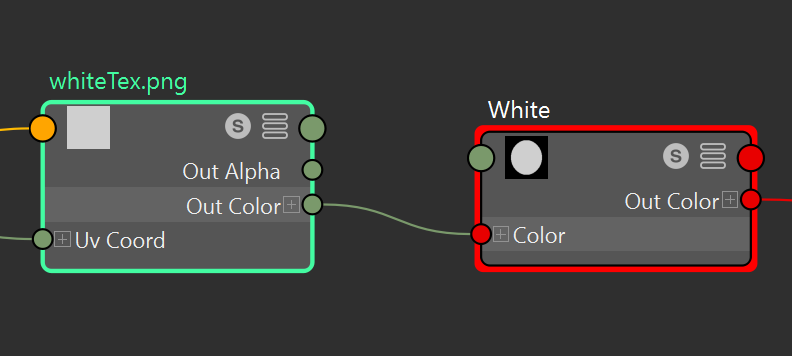
The connected file node is a pure white texture.
But the probelems are:
- with or without the image texture the output image “test_mask.tif” suppose white color are grey color;
- If without image texture connected to flat shader’s input color, it doesn’t matter what the color is set to in the flat shader, the output image is still grey.
The setting doesn’t make sense.
And I’m wondering if this is something maya can do natively or is it something that needs library like numpy to do the conversion.